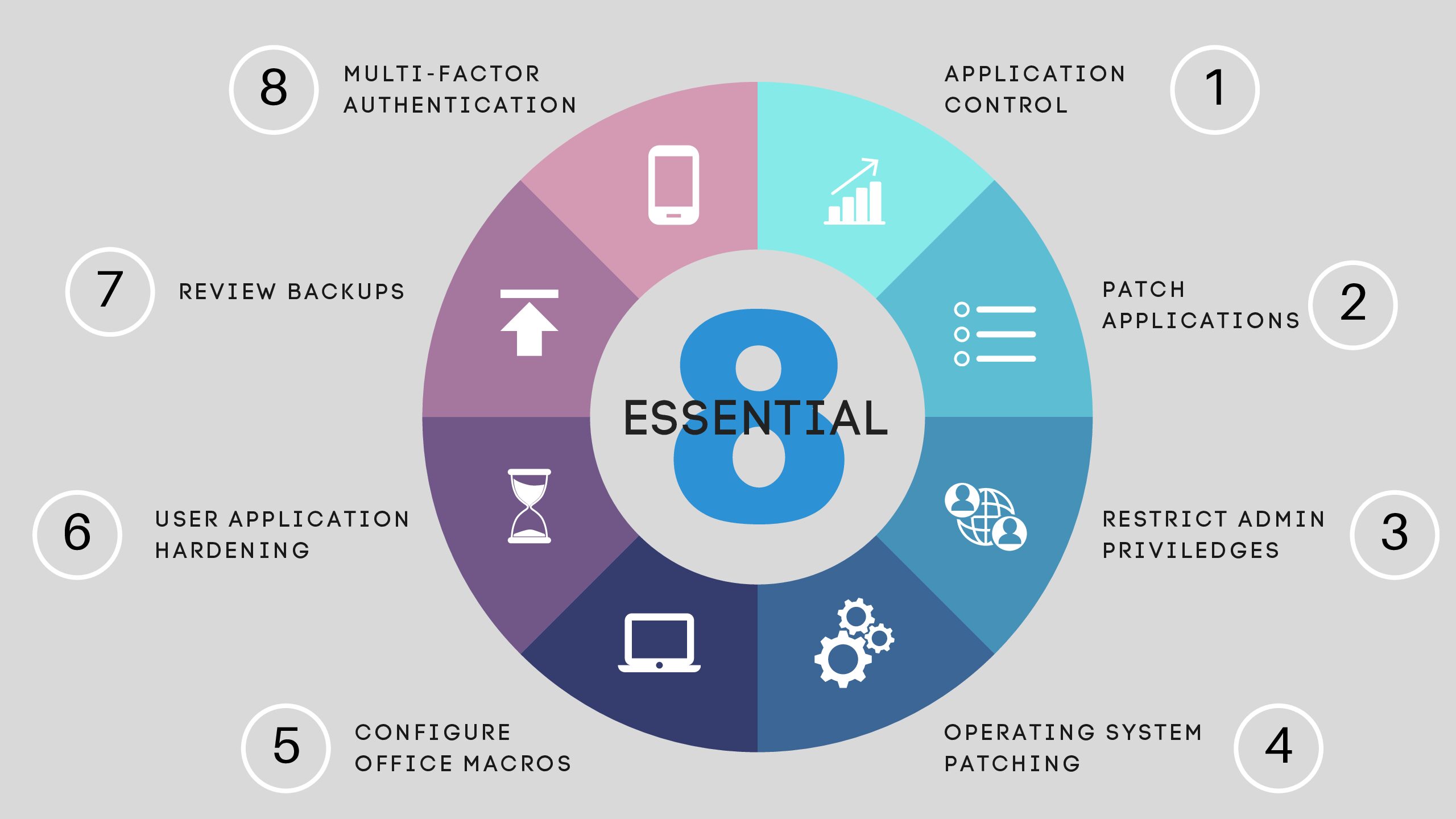
The Australian Cyber Security Centre (ACSC) created the Essential Eight to help reduce the most common cyber threats affecting Australian businesses, including ransomware, email compromise, and data theft.
The Essential Eight is not a product or certification. It is a practical set of cybersecurity strategies proven to reduce real-world risk.
TechPath helps businesses implement, manage, and maintain the technical controls required to strengthen security posture. Effective cybersecurity is a shared effort between technology, processes, and people.
How TechPath Supports the Essential Eight
Below is an overview of each Essential Eight control and how TechPath works alongside your organisation to strengthen security outcomes, improve cyber maturity, and support ongoing risk reduction.
1. Application Control
Purpose: Prevent unknown or malicious software from running.
TechPath helps by:
- Configuring device security policies
- Restricting unauthorised applications
- Monitoring suspicious software activity
- Investigating security alerts
Your team can support this by:
- Only requesting legitimate business software
- Avoiding unapproved internet downloads
- Letting us know when new applications are required
2. Patch Applications
Purpose: Close security vulnerabilities in commonly used applications.
TechPath helps by:
- Deploying updates to supported business software
- Monitoring update success
- Prioritising critical security patches
Your team can support this by:
- Leaving devices powered on and connected
- Restarting devices when prompted
- Avoiding unnecessary delays to updates
3. Configure Microsoft Office Macros
Purpose: Prevent malicious documents from executing harmful code.
TechPath helps by:
- Restricting risky document behaviour
- Applying Microsoft 365 protection policies
- Reducing phishing-related document threats
Your team can support this by:
- Being cautious with unexpected attachments
- Reporting suspicious emails instead of opening them
4. User Application Hardening
Purpose: Make common applications more secure against attack.
TechPath helps by:
- Configuring secure browser settings
- Blocking unsafe downloads and scripts
- Enforcing recommended security controls
Your team can support this by:
- Avoiding bypassing browser warnings
- Not disabling security prompts or protections
5. Restrict Administrative Privileges
Purpose: Reduce the impact of compromised accounts.
TechPath helps by:
- Removing unnecessary administrator access
- Controlling elevated permissions
- Monitoring privileged account activity
Your team can support this by:
- Avoiding shared accounts or passwords
- Requesting elevated access only when required
- 6. Patch Operating Systems
Purpose: Address vulnerabilities in Windows and supported devices.
TechPath helps by:
- Deploying operating system updates
- Monitoring update failures
- Maintaining patch schedules
Your team can support this by:
- Allowing updates and restarts to occur
- Keeping devices online regularly
- Avoiding powering off devices during updates
7. Multi-Factor Authentication (MFA)
Purpose: Protect accounts if passwords are compromised.
TechPath helps by:
- Enforcing MFA across Microsoft 365
- Applying secure login policies
- Monitoring suspicious sign-in activity
Your team can support this by:
- Approving only legitimate login requests
- Reporting unexpected MFA prompts immediately
8. Regular Backups
Purpose: Enable recovery from ransomware, accidental deletion, or data loss.
TechPath helps by:
- Managing business data backups
- Monitoring backup success
- Testing recovery processes
Your team can support this by:
- Saving files in approved business locations
- Avoiding storage of company data on personal devices
- Reporting missing files or unusual behaviour quickly
Cybersecurity Is a Shared Responsibility
Cybersecurity works best when technology, processes, and people work together.
TechPath secures and manages the technical environment, while your team plays an important role through secure day-to-day behaviour and awareness.
Many cyber incidents occur not because security tools failed, but because:
- A phishing email appeared legitimate
- A login request was approved accidentally
- A warning or security prompt was ignored
Technology significantly reduces risk, but informed users remain one of the most important layers of protection.
What Essential Eight Alignment Means for Your Business
Working towards Essential Eight alignment can help businesses:
- Reduce ransomware and cyberattack risk
- Support cyber insurance requirements
- Meet client and compliance expectations
- Protect sensitive business information
- Improve audit and governance readiness
TechPath approaches cybersecurity as an ongoing operational service, not a once-off project. Through TechSecure, we assess your current environment, identify security gaps, and help prioritise improvements aligned to your business needs. Contact our team to learn more.